Child profiles
Every child in the household has a profile used for ministry placement, check-in, and safety.
During registration
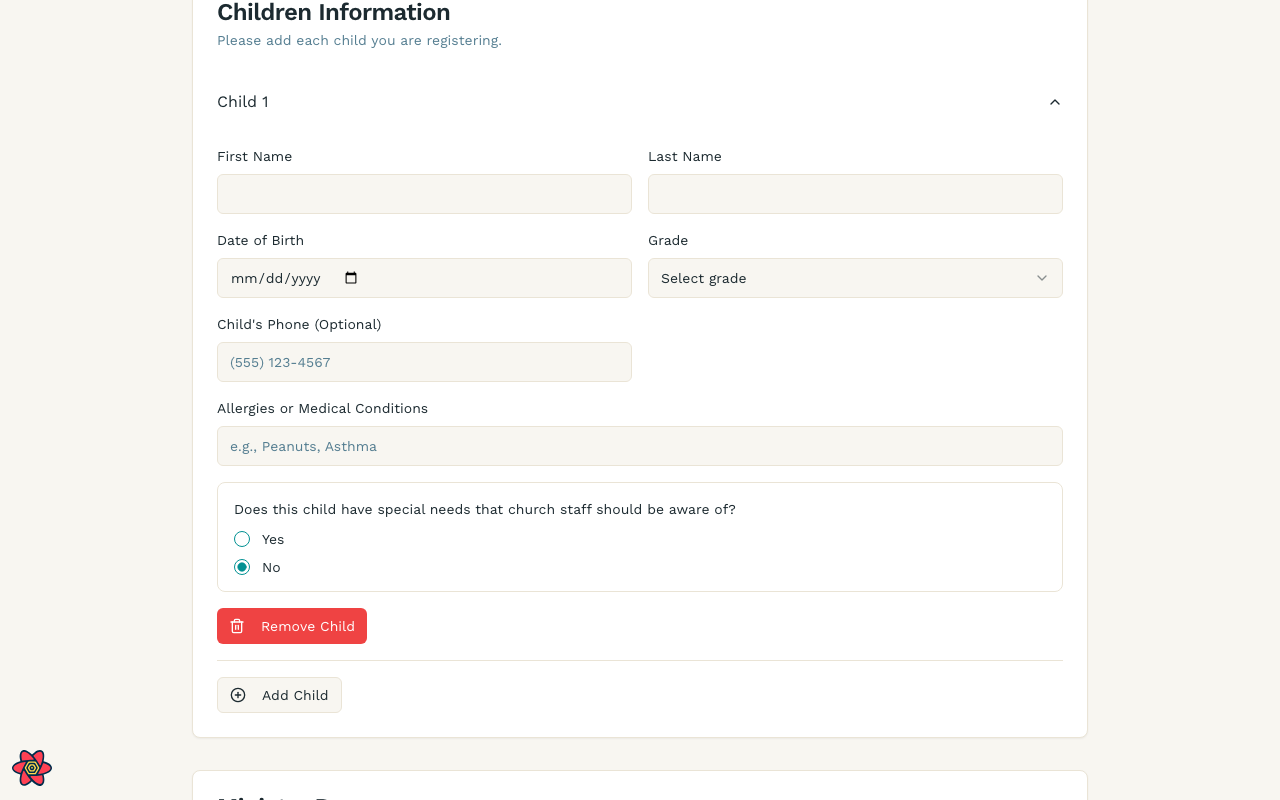
When you first register, each child is a section on the Family Registration Form. Expand Children Information and fill in the empty fields (name, date of birth, grade, and safety notes). The screenshot shows those blank fields before you type.
After registration (household)
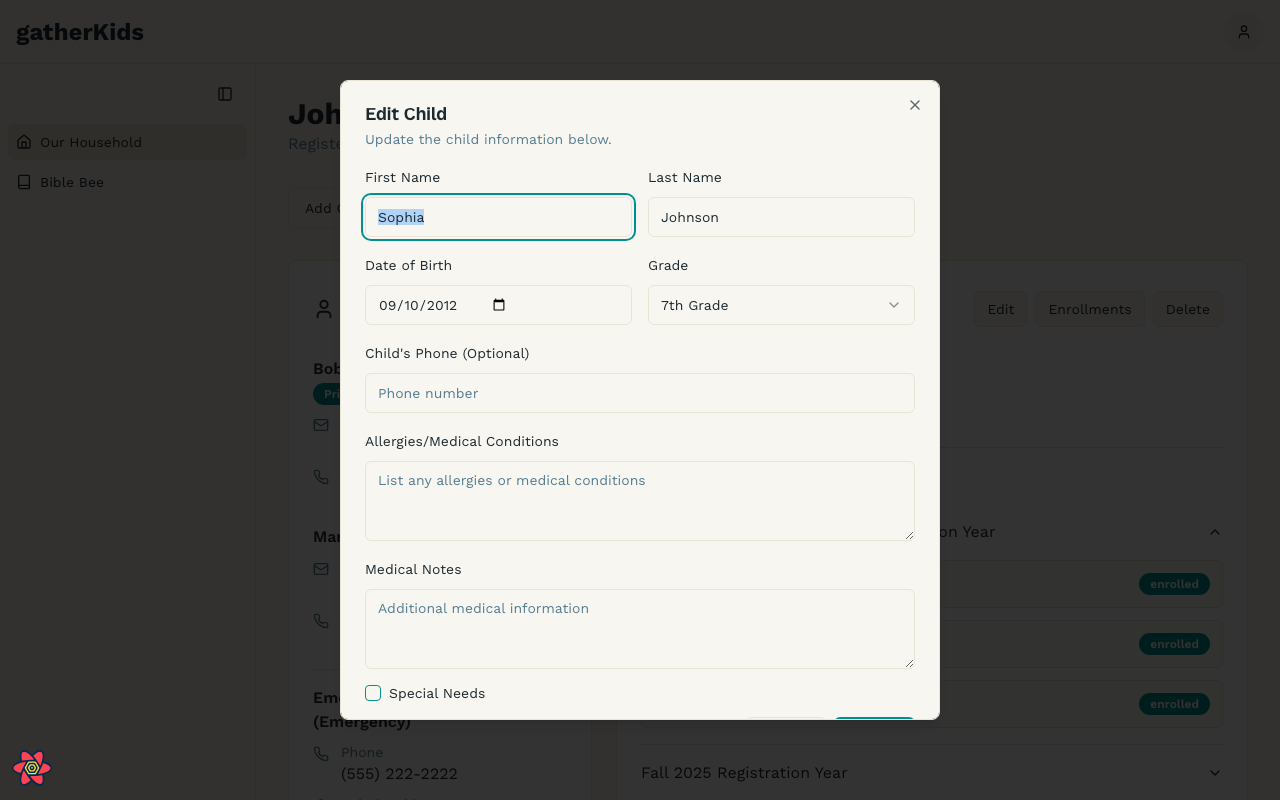
After you submit, open Household and choose Edit on a child’s card. That dialog is where you update the same details later, without filling out registration again.
Medical and safety notes
Please be specific:
- Allergies (food and environmental)
- Special needs or accommodations
- Anything pickup volunteers should know
This information can appear on check-in cards. Keep it accurate before Sunday.
Ministry enrollments
Enrollments are stored by registration year. On the household page, open the year accordion under the child to see enrolled programs versus interest-only. See Manage your household.
Photos
Photos should be recent, show the child’s face clearly, and be appropriate for ministry use. Leaders with permission can also update a photo from check-in.