Manage your household
After registration, guardians sign in and open Household to review the family profile.
What you will see
- Household name and address
- Guardians and emergency contacts
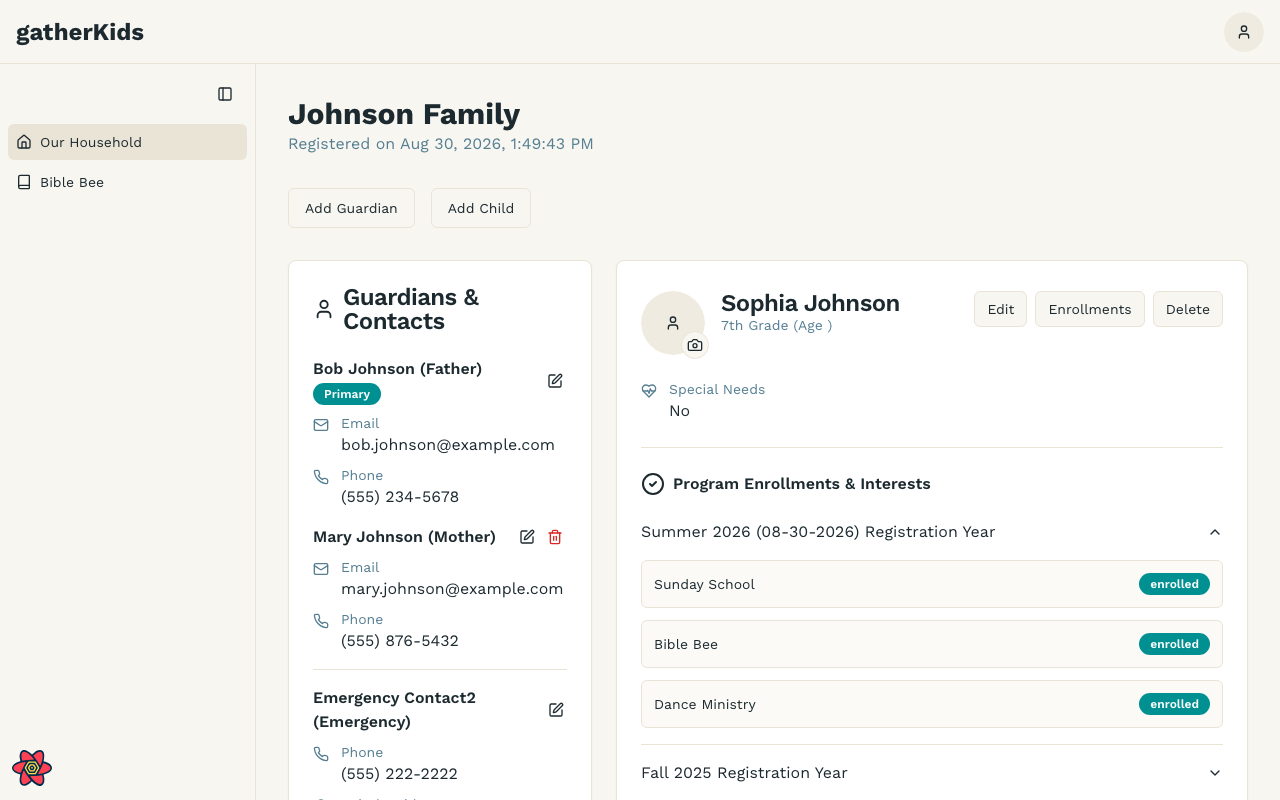
- Each child’s profile, medical notes, and ministry enrollments
Programs by registration year
Each child’s Program Enrollments & Interests section uses an accordion, one panel per registration year (for example, Fall 2026).
- The newest registration year is expanded when you open the page.
- Older years stay collapsed so you can compare without losing history.
- “No program enrollments or interests listed for this year” means that child was not signed up for ministries in that cycle.
Bible Bee progress for your children
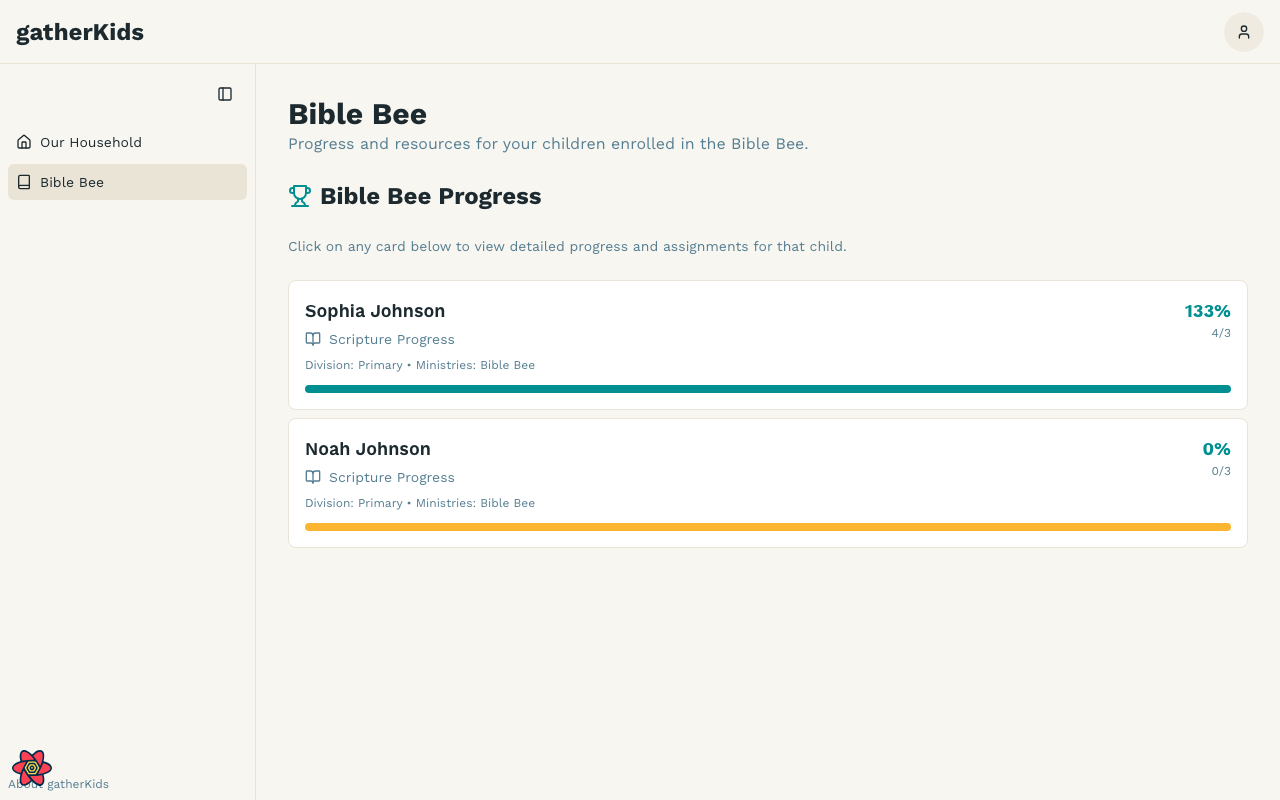
If a child is enrolled in Bible Bee, Bible Bee appears in the household sidebar.
- Sign in and open Household.
- Choose Bible Bee in the sidebar.
- Each enrolled child has a progress card. Open a card for scriptures and assignments.
Leaders use a different Bible Bee screen. See Progress tracking.
Updating information
Use Edit on a child card to change name, grade, or medical notes without going back through registration. See Child profiles.
Use registration while the cycle is open to correct address, children, or enrollments. After you have submitted for the active cycle, the household page is the place to review what ministry leaders will see at check-in.
If you cannot sign in, use Forgot your password? on the sign-in page or ask a ministry administrator to confirm your email.